
Skip to product information
-
 Media gallery
-
 Media gallery
-
 Media gallery
-
 Media gallery
-
 Media gallery
-
 Media gallery
-
 Media gallery
-
 Media gallery


Vendor: Gadgets Key (Am)
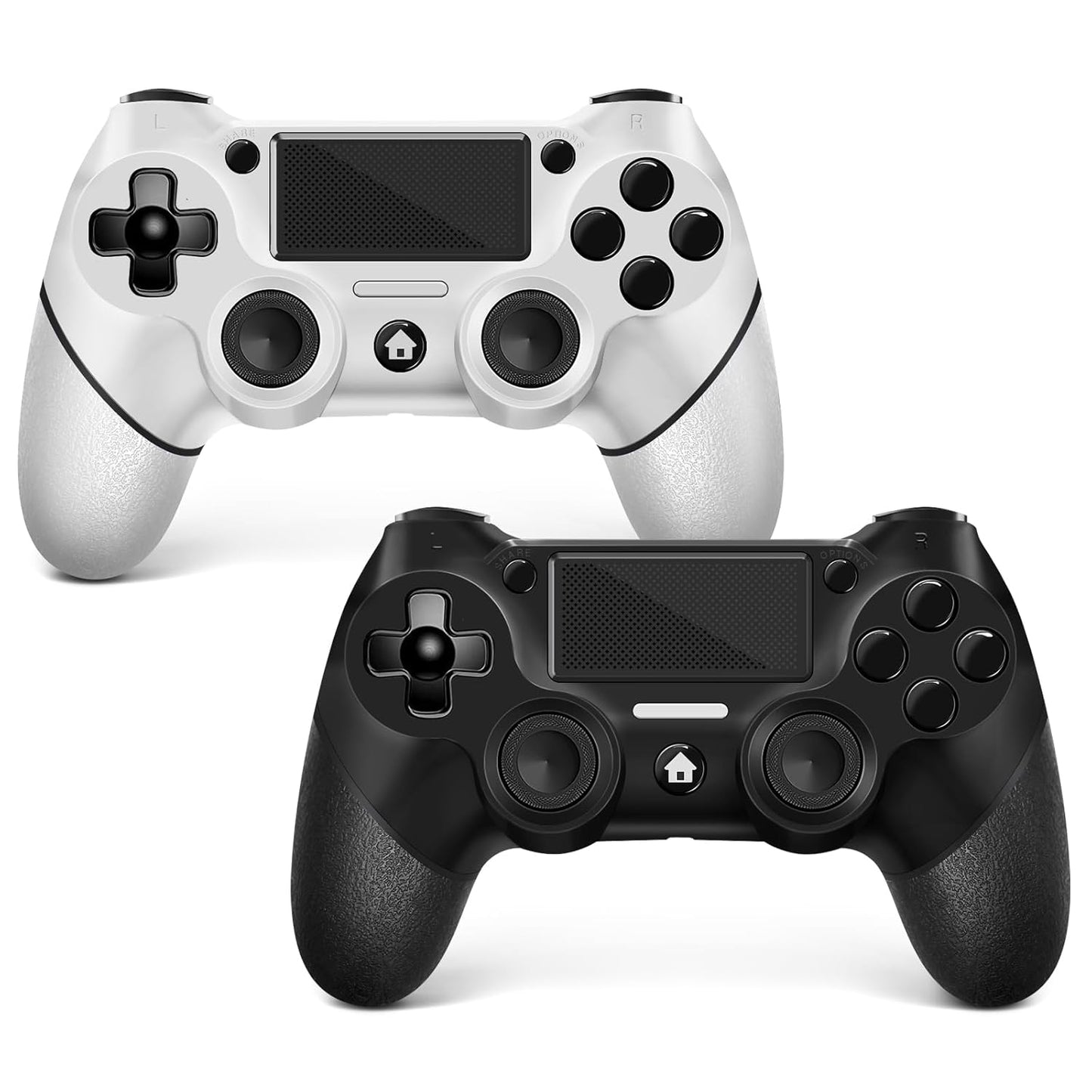
AceGamer 2 Pack for PS4 Controller, Wireless Controller for PS4/Pro/Slim/PC, with Non-Slip Grip of Both Sides and USB-C Cable! (Black and White)
- Regular price
- $47.99
- Regular price
-
$31.99 - Sale price
- $47.99
- Unit price
- per
Low stock: 5 left
Couldn't load pickup availability


Size Guide
Please select a page or Add metafield
Have a question?
Notified by email when this product becomes available
You may also like
- Description
- Product Reviews
- Privacy policy
- Tab heading
- Tab heading
- 2 Packing Two controllers are packaged in one box, which is less costly than buying two controllers separately. You can get two different custom designed controllers at the same time, which is very cost-effective. This will bring you a better game experience when you play with your friends, lover, family.
- Wide Compatibility Ace Gamer wireless controller compatible with PS4/Pro/Slim/Windows PC. Attention: Only when connecting for the first time, you must activate the device with the USB cable for the first pairing and connection. After that, the normal wireless connection of Bluetooth can be made, and USB data cable is no longer needed. Note: Connecting to PC (without Bluetooth) needs to install receiver, not included.
- Function Highlights 360° Refined analog sticks without dead zone, the new touch pad on the face of the game controller offer players precise control. Controller which built-in 6-axis gyro sensor has dual motor vibration, excellent dual shock effect design makes the tactile sense more sensitive. The optimized buttons and triggers, ergonomic design non-slip grips, which offer you fantastic gaming experience.
- Turbo Setting You can customize any key as a turbo key. First, hold down the 'share' key, then click the turbo key you want to set up successfully. Secondly, you can adjust the turbo frequency. First, hold down the 'share' key, then touch the joystick on the right up and down. There are three gears to adjust in total.
- To Be Ace Gamer You can get: 2x AceGamer for ps4 controllers wireless; 1x Charging Cable; 1x User Manual; Professional after-sales service. We focus on the design, production and sales of custom controllers. If you have any questions, please contact us in any time!
- Connection instructions 1、P4 first connection requires the use of the product's original cable, and host pairing in order to carry out the wireless connection. 2、wireless connection needs to press and hold the “HOME” and “SHARE” button 3-5S, and then in the host Bluetooth device can see the ‘Wireless Controller’ controller name, click on the pairing connection can be. (You can watch our video for detailed operation).
Shipping cost is based on weight. Just add products to your cart and use the Shipping Calculator to see the shipping price.
We want you to be 100% satisfied with your purchase. Items can be returned or exchanged within 30 days of delivery.